WordPress OpenStreetMap plugin
OSM is a wordpress plugin that deals with geo data. Simply wordpress shortcode has to be used within your post or page to:
 |
|
There are some samples how to use this plugin, you might need a combination of different samples, simply take the shortcode arguments you need from each sample and put it into your shortcode for the map.
Click on the image to see a live-version and the tutorial for each map!
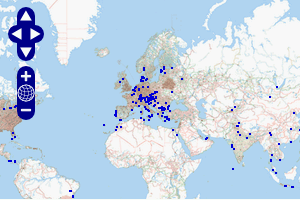 |  |
| mark all locations of your posts/pages which are related to a geo location. | mark your geocaches by using geocaching plugin gcstats. |
 | 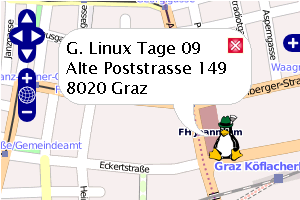 |
| add a track (gpx or kml) with a list of popupmarkers (textfile) | add a marker to the map with html-text in the popup window |
 |  |
| display a non OSM map / ext map | use template tag to add map automatically |
Using the OSM plugin shortcode generator
To add simple OpenStreetMap maps into your blog the shortcode generator will fullfill your needs, just go to the settings page of OSM plugin, adjust the map and the zoom and click on the map to get the shortcode:

Installation and upgrade
1.) download the plugin to your local machine
2.) unpack the plugin and upload the osm directory with FTP to /content/plugins
3.) activate the plugin in <Plugins> at admin area
4.) happy mapping 
IMPORTANT:
Do not use „automatically upgrade“ if you stored personal files (gpx, txt) in the OSM-plugin folder!! At „automatically upgrade“ the whole folder is deletete an then new OSM folder is copied.
Instead of „automatically upgrade“ simply copy the new version with your FTP client (overwrite/replace).
Links and Tutorials about OSM plugin
4.) Using OSM plugin if you geo tagged your posts with another geo plugin. [en]
5.) Marcadores en los mapas con OpenStreetMap plugin. [es]
6.) Plugin – Authors blog [de/en/ko]
7.) Macro to get marker text file of your geocaches from GSAK [en]